
Your first steps
From invitation to your first project.
Welcome to BuildDetect. Set up your account, tell us about your business, and explore construction projects in the jurisdictions you serve.
Getting started
Create your account
Choose Create account on the sign-in page. If prompted, check your email and confirm your account, then sign in.
Open sign-inActivate your beta access
On the waitlist page, enter the invitation code you received in Beta code, then select Activate founding beta. Keep your code private. If access is already active, continue to your profile.
Open waitlistComplete your contractor profile
In Settings, enter your company name, choose your trades and service area, then select Save profile. Wait for the save confirmation before moving on.
Open SettingsFind your first project
Open Find Projects, choose a Jurisdiction and run your search. Select View intelligence on a project to explore its details and available source evidence.
Open Find Projects
Your profile helps personalize Dashboard and Opportunity Feed. Find Projects uses the jurisdiction you select; Alerts have their own city and trade preferences.
Screenshot guide
Follow the illustrated steps below, or keep the four-page quick-start PDF open beside BuildDetect.
Download the quick-start guide (PDF, 274 KB)Choose your trades
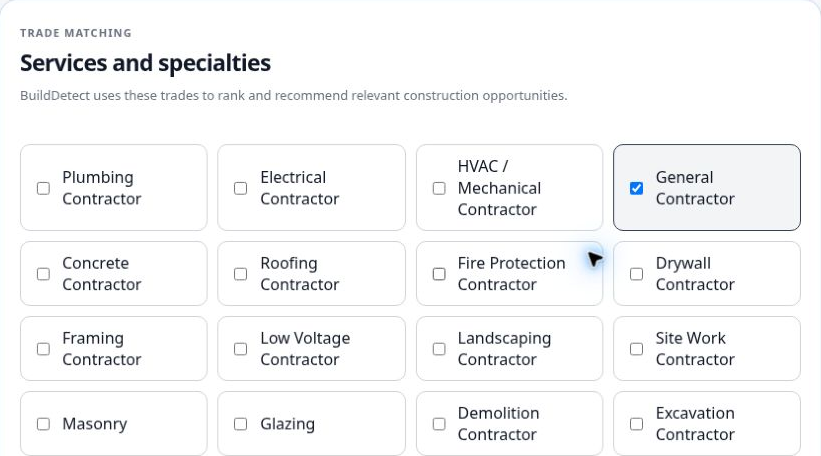
In Settings, choose at least one trade under Services and specialties. Select the trades your business actually performs.
Open full-size image: choose your tradesSet your service area
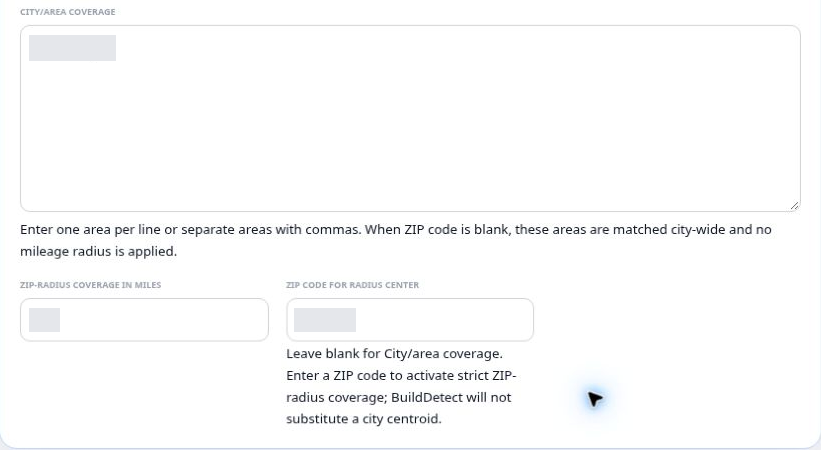
Enter cities in City/area coverage, one per line or separated by commas. Leave ZIP code for radius center blank for city-wide matching. For radius coverage, enter a five-digit ZIP and a whole-number radius from 1 to 500 miles. Projects without coordinates may be omitted. Existing account values are hidden in this example.
Open full-size image: set your service areaSave and confirm

Select Save profile and look for Contractor profile updated successfully. Confirm that your saved company details, trades and service area reflect your choices.
Open full-size image: save and confirmSearch by jurisdiction
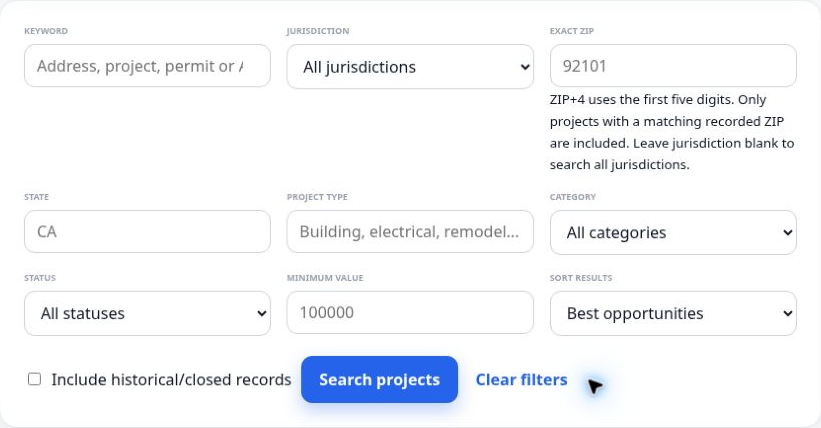
Choose a Jurisdiction and select Search projects. Exact ZIP is optional and matches the ZIP recorded on a project, not a mileage radius. Clear it if results are too narrow. Gray field text in this example is placeholder text, not an applied search.
Open full-size image: search by jurisdictionReview project intelligence
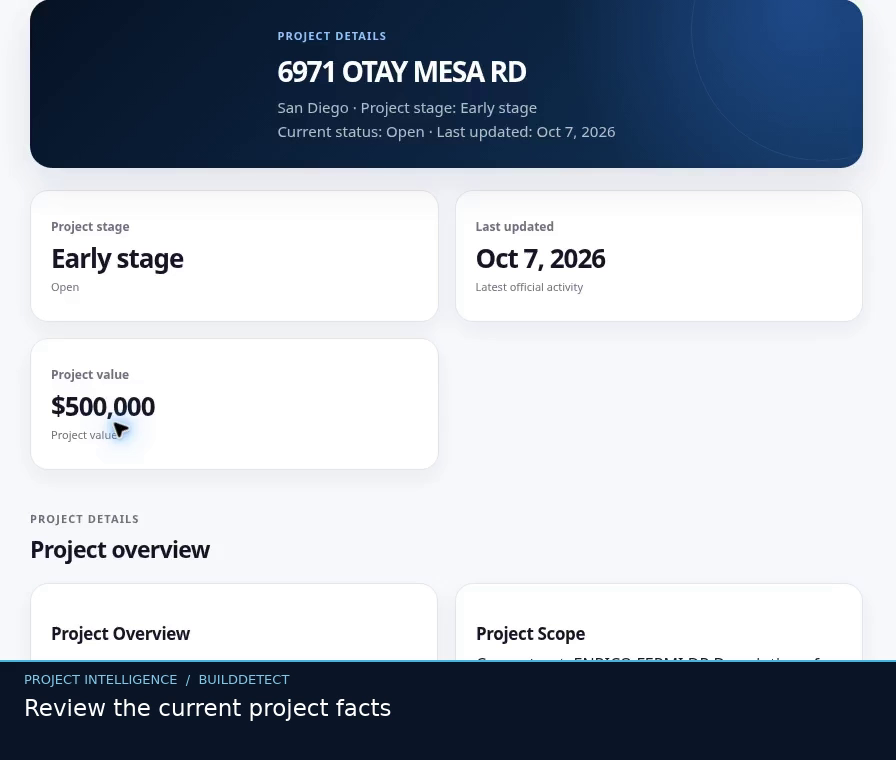
Select View intelligence on a result. Review the facts, scope and available source evidence. This is an example record; check the current record and official source before outreach. A listed project or contact does not establish that work is open for bids or identify the buying contact.
Open full-size image: review project intelligenceNeed a hand?
I cannot finish signing in
If confirmation was requested, check your inbox and spam folder for the confirmation email. Return to sign-in after confirming. Use the password-reset option if you cannot remember your password.
My beta code did not activate access
Check that you entered the code from your invitation. Follow the message shown on the page. If redemption is uncertain, keep your original code and use Refresh account access or Reload page when offered before attempting redemption again. If the code is rejected, reply to your welcome email for help without including the code.
My profile is incomplete or did not save
Return to Settings and check your company name, trades and service area. Select Save profile and read any validation message. Stay on the page until the save completes.
I cannot find projects or intelligence is unavailable
Check your selected jurisdiction and clear extra filters. Coverage and available project details vary. Read any status message and retry when offered. If the problem continues, send the jurisdiction, page and error text with your feedback.
Help make BuildDetect better
Reply to your beta welcome email or use Submit support request in Settings. Tell us what you tried, what you expected, and what happened. Include the page name, jurisdiction, device or browser, and any error message.
If you attach a screenshot, remove invitation codes, account identifiers, personal information and private settings first.